10 Best Sales Tracker Tools That Actually Help in 2026
Compare 10 best sales tracker tools for 2026 with screenshots, pricing and real use cases. Find actionable value for Stripe, creators and SaaS.
You've finished a day of building, answered support messages, and checked your payments dashboard again. There's a sales total on the screen, but you still don't know whether to follow up with customers, investigate refunds, improve onboarding, or get back to shipping.
Most sales numbers don't help you act because they lack context. Gross sales aren't the same as money retained. A subscription payment isn't the same as recurring growth. And an evening without a sale doesn't automatically mean you spent the day badly.
The useful sales tracker is the one that answers your next business question without creating another reporting job. For a solo Mac founder, that might mean revenue beside daily priorities. For a creator, it might mean combining income across platforms. For a SaaS business, it might mean understanding churn rather than celebrating incoming payments.
Buying rule: Pay for a clearer decision, not another place to view the same total.
These sales tracker options are ranked by practical value for independent builders, with supplied screenshots, published pricing, and specific use cases. The order is an editorial recommendation, not a verified search-volume ranking. Prices below reflect published offers, not a live checkout verification.
Start with the payment sources you use. Then choose the smallest tool that helps you understand revenue, spot an operational problem, or decide what to work on next.
1. Papa
Best for Mac founders who want sales visibility alongside daily accountability. Our app combines a lightweight revenue view with planning and focus controls, rather than asking you to manage a CRM.
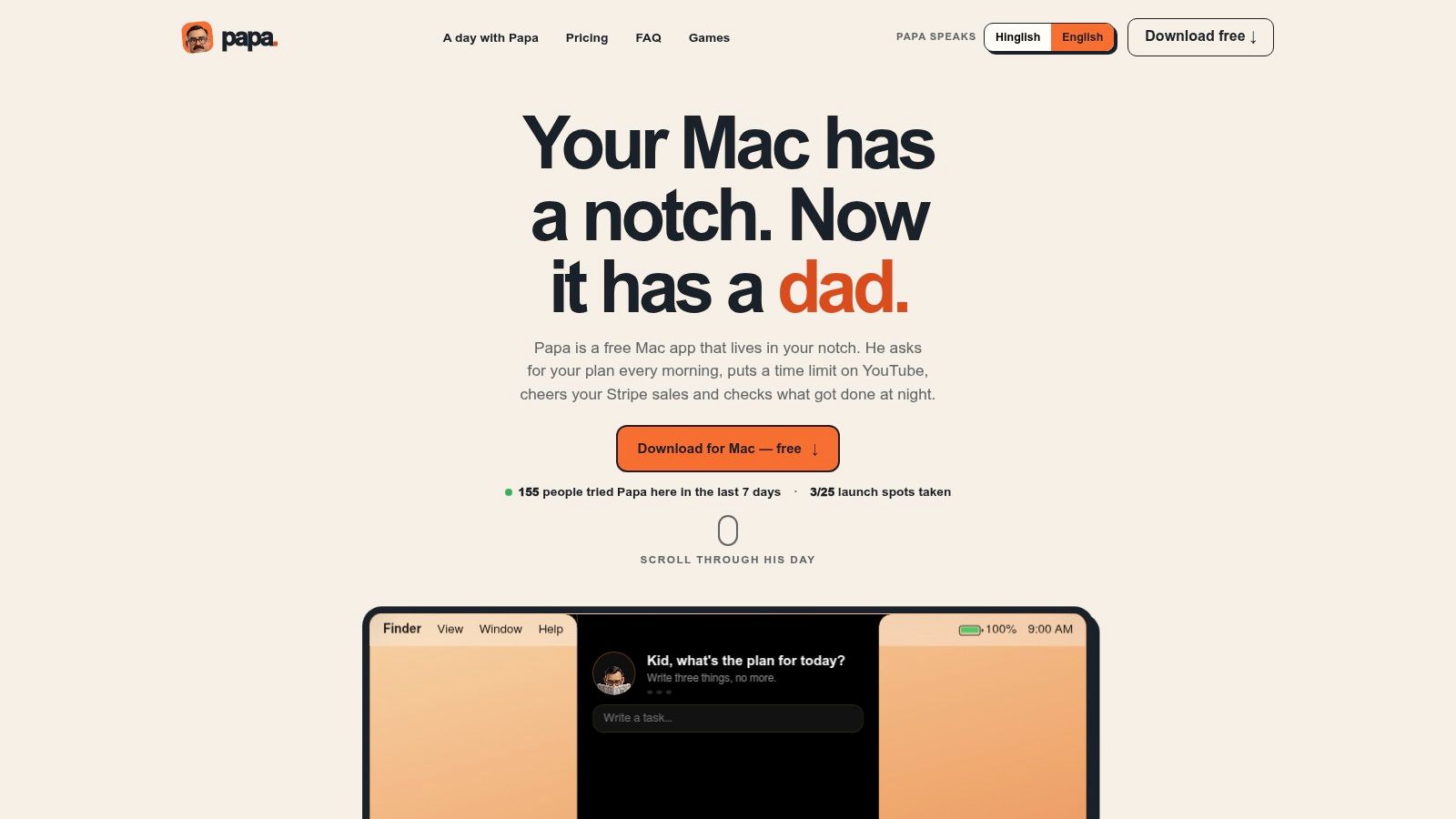
Papa lives in your Mac's notch, or a small black pill on a notch-free display. Each morning, our character asks you to choose up to three tasks. A scheduled evening check-in asks what you completed.
The free edition includes one website limit in Safari or Chrome, battery and charger reminders, quiet hours, a weekly day off, and a daily reminder cap. Silent speech bubbles support English or Hinglish and can appear over full-screen applications.
What the upgrade actually buys
Papa Pro costs $9.99 once, with a $4.99 launch offer for the first 25 buyers using FIRST25. A license covers two Macs, without a recurring subscription.
Pro adds unlimited website limits, focus mute, all nine streaks, approval levels, character rewards, and optional Stripe or Dodo Payments sales reactions with today's revenue and MRR. An optional belt reaction for zero-sales evenings is limited to once daily and can be disabled.
- Useful combination: Planning, website limits, evening review, and sales awareness share the same desktop interface.
- Privacy controls: Website monitoring sees the active site and time spent, not page contents. Read-only payment keys stay in Keychain, and app data remains on your Mac.
- Real limitations: You need an Intel or Apple silicon Mac running macOS 14 Sonoma or later. Character reminders won't suit everyone.
Choose this approach when accountability is the missing piece, not deeper subscription analysis. Our planning and accountability articles offer related reading; recent trial activity shouldn't be mistaken for independently documented customer outcomes or awards.
2. Stripe Dashboard
Already taking payments through Stripe? Start with its own records before buying another dashboard. That's the practical baseline for deciding whether an additional sales tracker deserves its cost.
Stripe Dashboard provides sales summaries and reporting for payments, refunds, disputes, and financial activity. Stripe Billing users can also review subscription information, while paid Stripe Sigma supports more customized analysis.
Cost perspective: You don't need a separate sales-tracking application to begin reviewing Stripe activity. That doesn't mean payment processing or every reporting capability is free, and Sigma should be treated as an additional purchasing decision.
Use the transaction record to explain the total
When a daily number looks wrong, inspect the underlying payments and refunds before changing your marketing. A sales summary is useful only if you can explain what contributed to it.
- Works well: Reviewing Stripe sales, investigating refunds, and checking subscription activity against the payment provider's records.
- Falls short: Combining Stripe with Dodo Payments, creator platforms, or other payment providers.
- Upgrade trigger: You need cross-platform visibility, scheduled delivery, or analysis that the existing reports don't answer conveniently.
The main advantage is avoiding unnecessary software. The main trade-off is scope: Stripe's dashboard isn't a unified view of every sales channel.
For a business with straightforward Stripe activity, keep it as the reference point against which you reconcile any additional tracker.
3. CreatorDash
A creator selling through Gumroad, publishing through Substack, and receiving support through Patreon has a consolidation problem. Opening each platform separately makes it harder to understand the overall business.
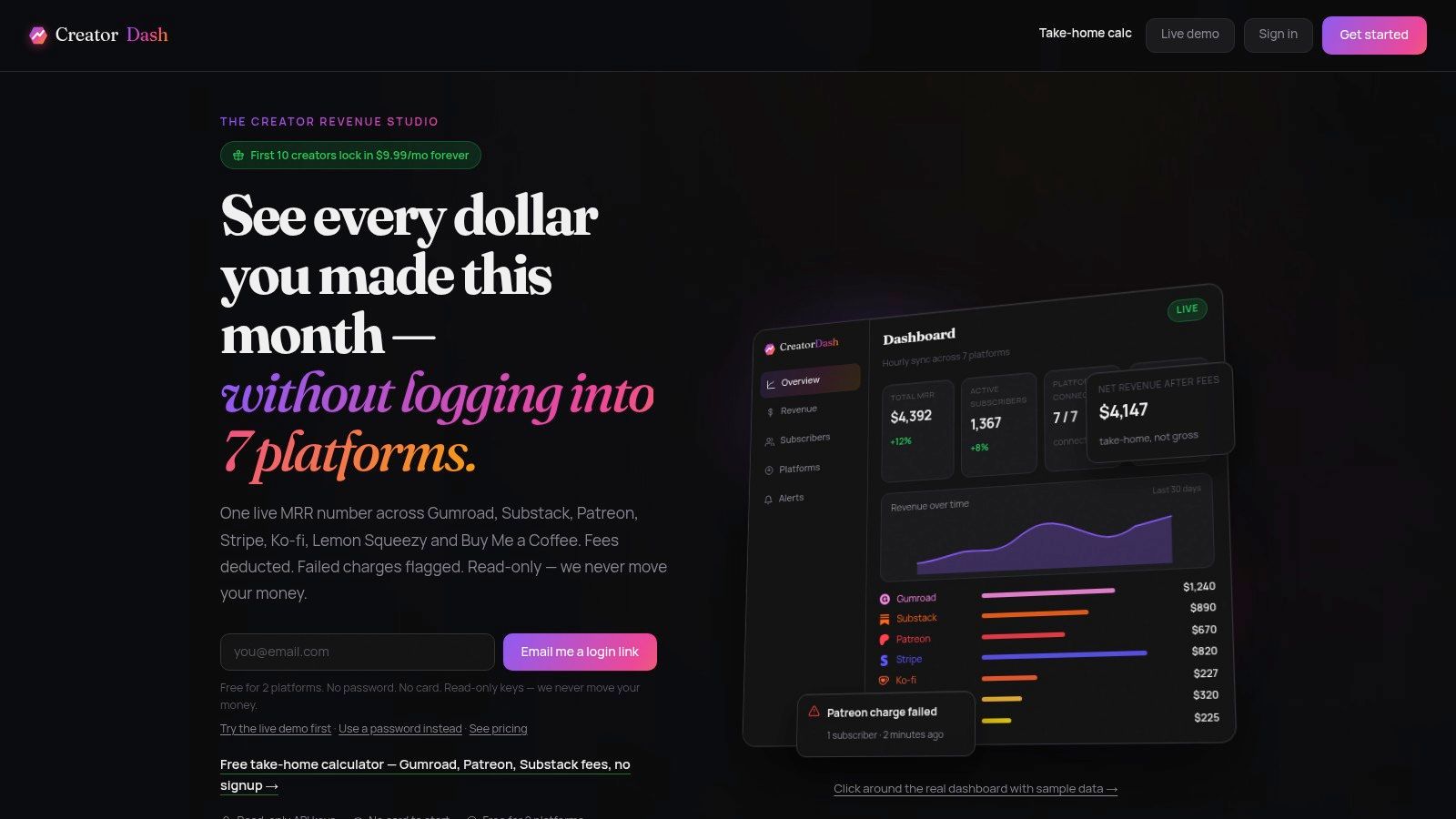
CreatorDash fits income spread across creator platforms. Supported services include Stripe, Gumroad, Substack, Patreon, Ko-fi, Lemon Squeezy, and Buy Me a Coffee.
The CreatorDash website lists a free plan with two platforms and 30 days of history, a $19 monthly Creator plan, and a limited $9.99 monthly founding offer. The free plan doesn't require a card, and a live demo lets you inspect the dashboard before connecting accounts.
Consolidation is the value
CreatorDash combines revenue, MRR, and subscriber information, with subscriber and churn alerts. Its site describes hourly synchronization, so don't buy it expecting an instant response to every payment.
- Best use: Reviewing combined creator income without manually assembling platform totals.
- Useful distinction: Estimated net revenue accounts for typical platform fees.
- Important limit: Those estimates can differ from actual take-home revenue.
Treat the estimated net figure as a planning aid, not a replacement for payout reconciliation. Before paying, use the demo to decide whether the combined view would change how you allocate effort between channels.
Choose CreatorDash when fragmented platform income is the problem. Skip it when your real need is managing leads, sales conversations, or a conventional team pipeline.
4. Owelet
A busy sales day isn't necessarily a profitable day. Owelet's appeal is showing fees and net income alongside gross revenue, rather than making the largest number the only number that matters.

Owelet describes support for more than 10 creator platforms, including Stripe, Gumroad, Lemon Squeezy, Patreon, and Etsy. It advertises a free start, but that shouldn't be interpreted as a promise that every connection or reporting capability remains free.
Its core value is financial visibility for a solo operator. Transaction history and daily revenue views help you examine what happened, while gross revenue, fees, and net income help you interpret the result.
Don't compare sales channels using gross revenue alone when the amount you retain is the decision you're trying to make.
Where it earns its place
Use Owelet to review income across platforms and investigate the difference between headline sales and retained money. Before connecting accounts, confirm that the supported connection covers the platform activity you need; the site describes read-only access.
- Strong fit: Independent sellers with income spread across several services.
- Weak fit: A business with a payment source whose existing reports already answer its questions.
- Cost check: Review the current pricing terms before relying on the advertised free entry point.
Owelet is closer to a solo-business finance dashboard than a sales-operations system. That's useful if fees and net income matter more to you than pipeline stages.
5. TrackMRR
Running several subscription products creates a different question from tracking daily sales: which product is actually building recurring revenue? TrackMRR is aimed at that problem.
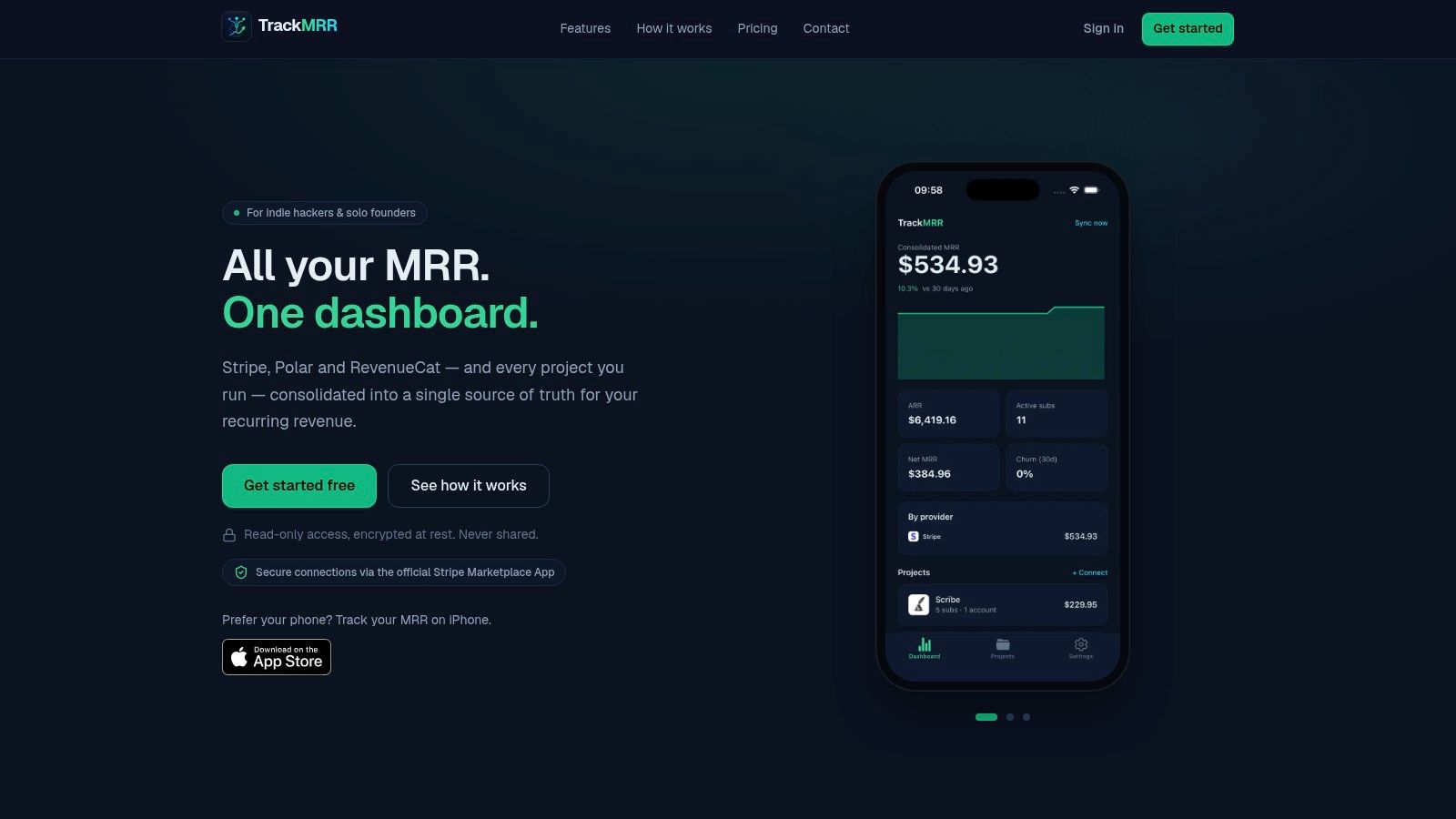
TrackMRR consolidates recurring-revenue information from Stripe, Polar, and RevenueCat. It provides project-level grouping alongside MRR, ARR, subscriber, growth, and churn views.
Pricing starts with an advertised free entry option. Don't assume that means unrestricted projects, history, or access indefinitely; establish the applicable terms before making it part of your reporting routine.
Review products separately before combining them
A combined recurring-revenue total can conceal a struggling product. Project-level reporting is more useful when you need to decide where to improve onboarding, investigate cancellations, or concentrate development work.
- Practical strength: Product breakdowns suit indie founders managing separate projects.
- Reporting scope: Multi-currency normalization and daily history support a consolidated view.
- Connection boundary: Read-only options are available, but integrations remain limited to supported providers.
TrackMRR isn't the natural choice for service invoices, occasional digital-product purchases, or lead tracking. Its subscription emphasis is a benefit only when recurring revenue is central to your business.
Before relying on a consolidated figure, inspect how it represents your billing arrangements and currency settings. Choose it when project separation saves analysis work; stay with your provider dashboard when the additional layer doesn't answer a new question.
6. Plask
Use Plask when the question is profit, not just revenue. It brings sales together with traffic, advertising spend, and manually entered costs for indie makers running apps or websites.
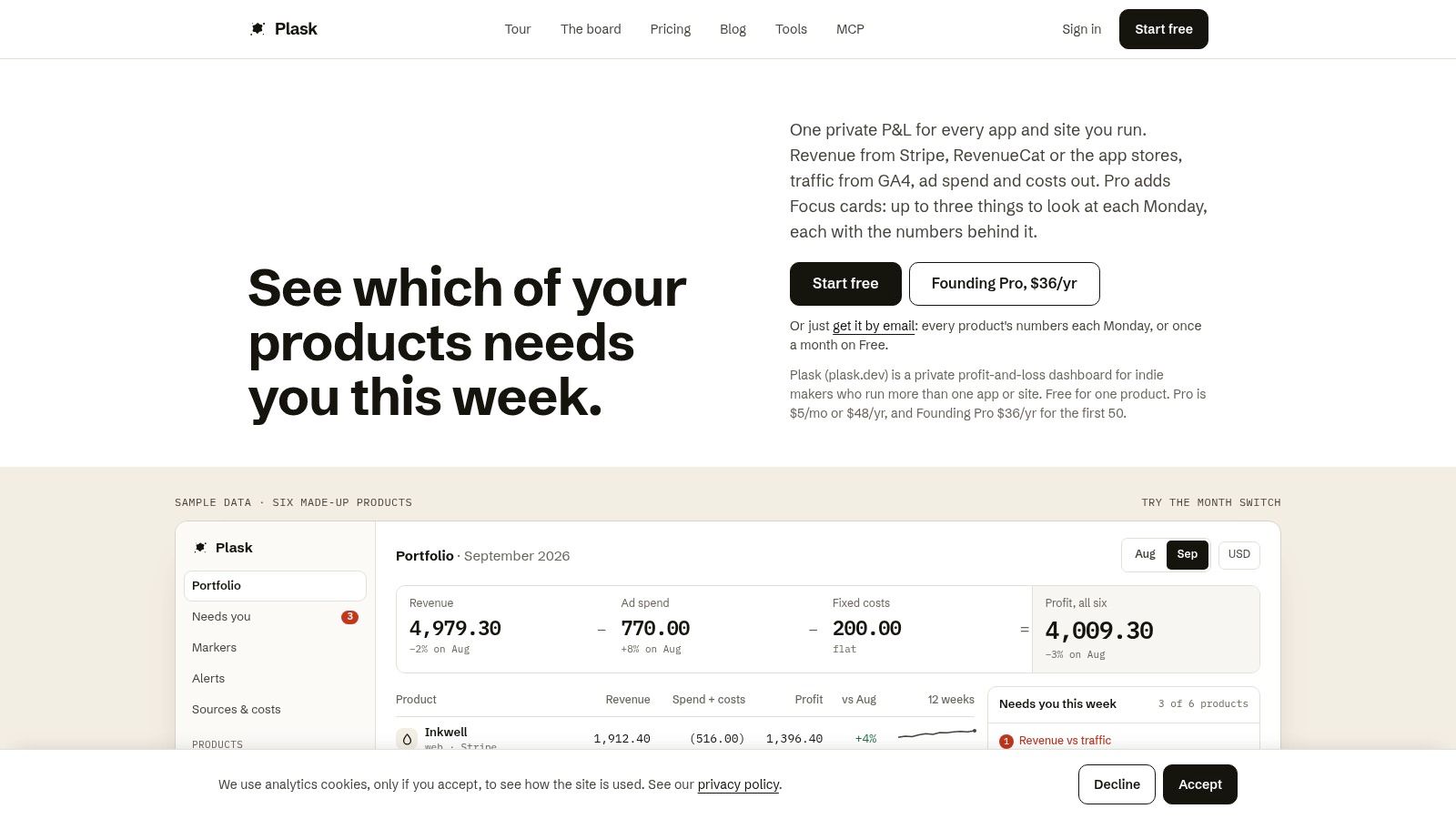
The Plask website advertises a free option for one product, with Pro listed at $5 per month or $48 per year. Supported revenue sources include Stripe, RevenueCat, and app stores, subject to the applicable connection requirements.
The important trade-off is setup. A profit-and-loss view needs relevant cost information, not merely a working payment connection.
Costs change the interpretation
If you're considering more advertising, a higher sales total isn't enough to justify it. Review the product's revenue alongside advertising and other entered costs before deciding whether to continue spending.
- What works: Product-level profit-and-loss reporting offers more decision context than a sales counter.
- What takes effort: Manual costs need maintenance, and separate sources may require their own credentials or permissions.
- What to verify: Current Pro terms and support for the specific revenue, traffic, and advertising sources you use.
Plask describes read-only connections for supported sources and positions the dashboard as private. Still, review each permission rather than assuming all integrations work identically.
This is a better fit for founders willing to maintain cost inputs than for someone who just wants a daily payment summary. Incomplete costs can make a polished profit view less useful than it appears.
7. StripeReport
Checking a dashboard repeatedly isn't the same as reviewing your business. StripeReport replaces some of that checking with scheduled revenue summaries delivered through email or Slack.
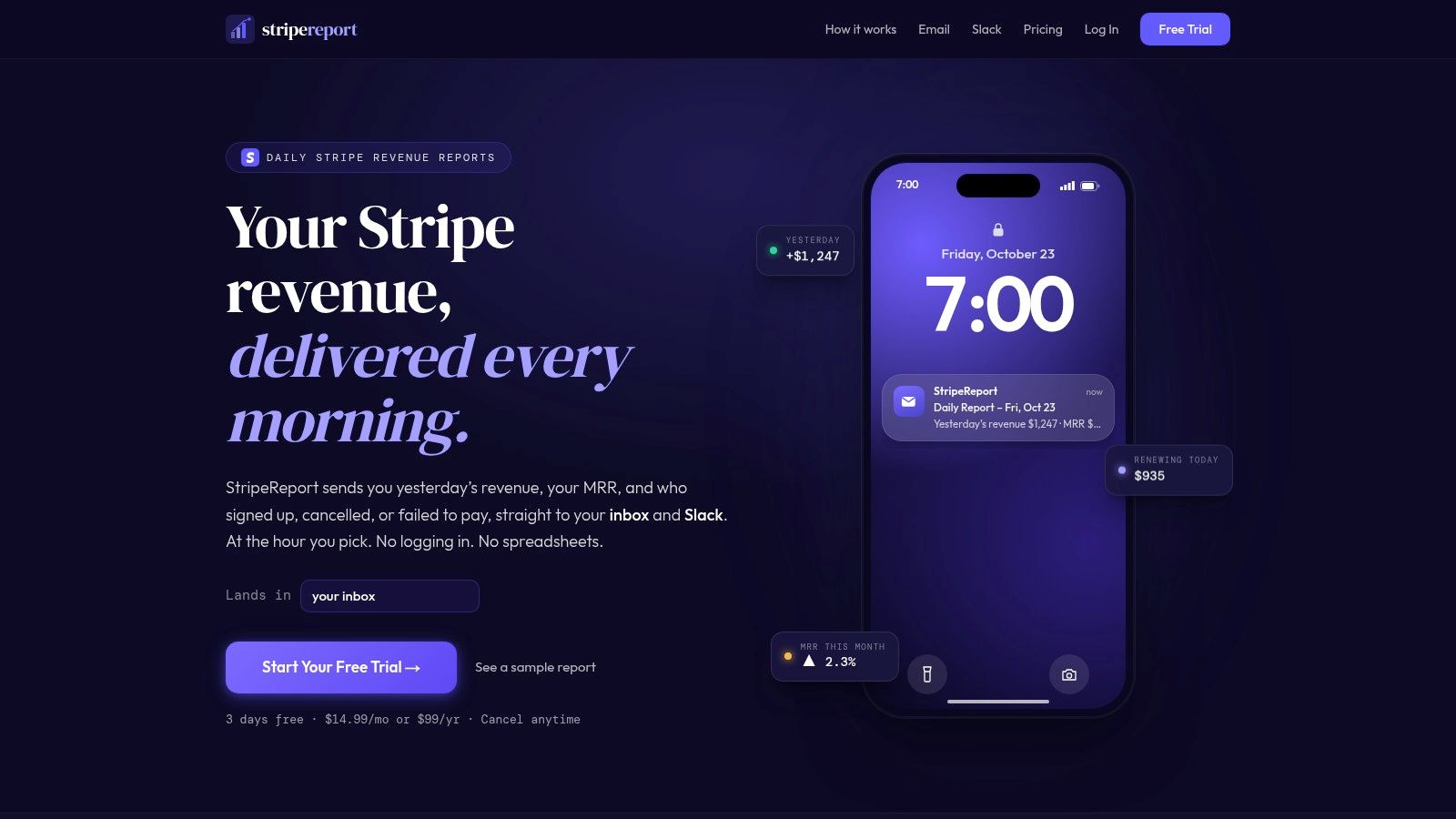
StripeReport advertises a three-day trial, followed by $14.99 per month or $99 per year. It combines daily Stripe reports with subscription metrics, forecasts, and revenue-at-risk indicators.
The product covers MRR, churn, lifetime value, and signups, using read-only Stripe access according to its site. Its strongest use case is a founder who wants a recurring review delivered into an existing workflow.
Delivery helps only if you review it
Pick a report destination you'll actually use. Sending the same routine sales update into every communication channel defeats the purpose of reducing dashboard checking.
- Advantage: Scheduled snapshots can make revenue review deliberate rather than compulsive.
- Limitation: It remains Stripe-focused, not a consolidated report across payment providers.
- Buying threshold: Subscription reporting and proactive updates should justify the ongoing fee.
Research on interruption timing supports delivering relevant notifications at appropriate task boundaries rather than interrupting ongoing work indiscriminately, as discussed in this notification timing and relevance paper.
Treat revenue forecasts as prompts for investigation, not guaranteed outcomes. For occasional purchases without a meaningful subscription base, the subscription-oriented analysis may be more than you need.
8. ProfitWell Metrics
ProfitWell Metrics is worth considering when recurring-revenue analysis matters more than desktop visibility. Its emphasis is SaaS subscription performance, including churn, upgrades, downgrades, and customer lifetime value.
Paddle's ProfitWell Metrics page advertises the core Metrics product as free, with paid Metrics Plus options described separately. Payment and billing integrations include Stripe.
That makes it a useful starting point for a subscription business that wants more structure than a daily sales total. It's less compelling for an independent seller whose revenue mostly comes from standalone purchases.
Use subscription metrics to choose an investigation
Start with a business question rather than opening every available chart. If recurring growth looks weak, examine churn alongside upgrades and downgrades before assuming that acquiring more customers is the only answer.
- Core value: MRR, active-customer information, and subscription movements help explain recurring performance.
- Analytical depth: Segmentation and benchmarking can support more focused comparisons.
- Cost boundary: Advanced reporting or faster updates may involve a paid tier.
Practical distinction: A free analytics product can still cost attention. Keep the reports that help you make a decision.
ProfitWell Metrics isn't a general retail tracker or a replacement for managing customer conversations. Choose it when subscription changes deserve regular investigation, and avoid building a complicated reporting routine around metrics that don't affect your next action.
The useful outcome is an explanation you can work with, such as identifying which subscription changes need attention, not just collecting more charts.
9. ChartMogul
Choose ChartMogul when you need to explain how recurring revenue changes across customer groups, not merely whether the total increased.
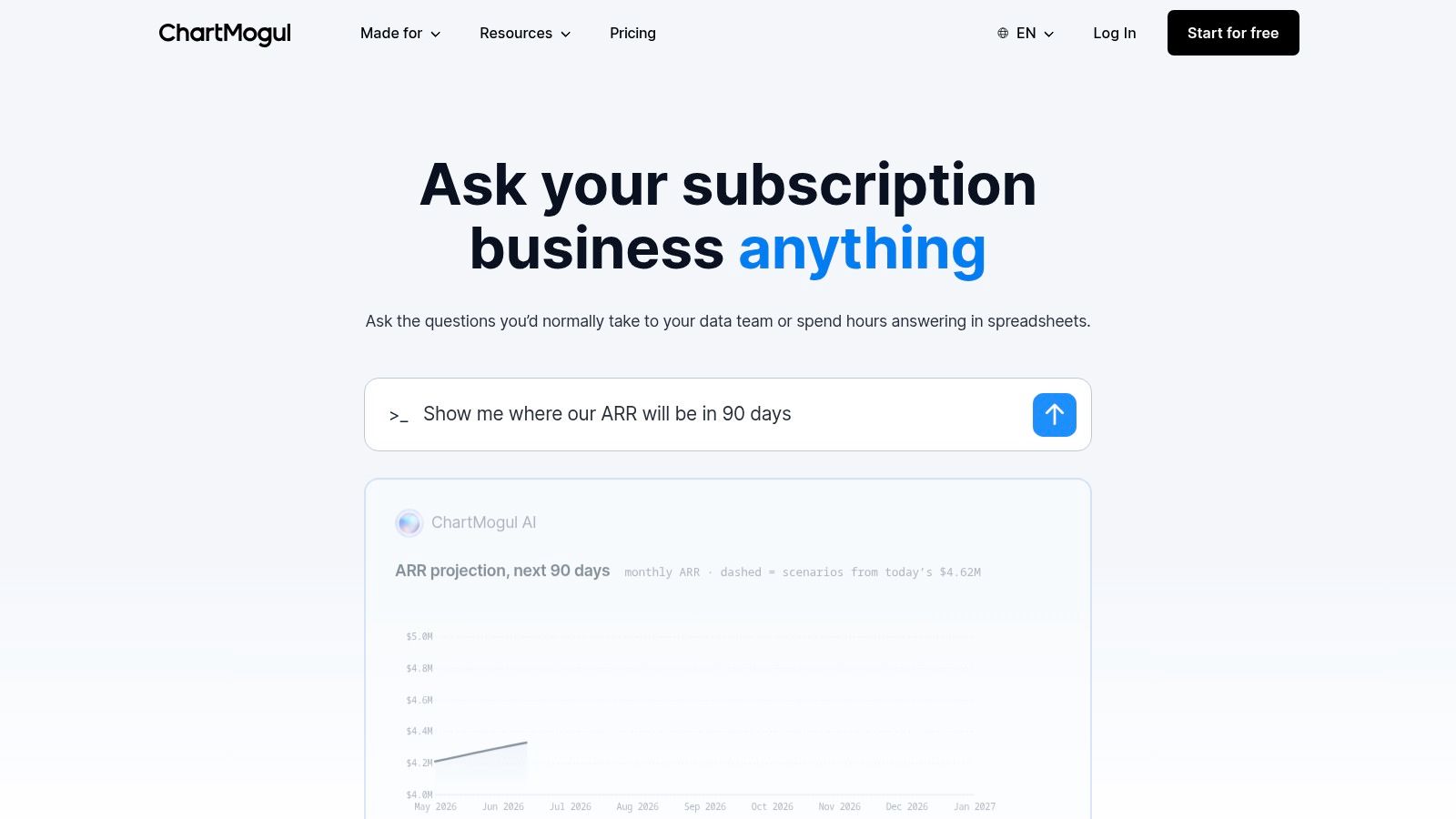
ChartMogul advertises free access for SaaS companies below $10,000 MRR, with paid pricing based on MRR bands. Consider the eventual paid tier as well as initial eligibility when comparing its cost.
The platform standardizes billing data into MRR movements, churn, lifetime value, and cohort-retention reporting. It supports billing integrations plus API and CSV import workflows, alongside segmentation, forecasting, and benchmarking.
More depth means more setup responsibility
ChartMogul's customer and subscription data-cleaning capabilities matter when your billing history needs interpretation. They also signal that this is a more involved analytical tool than a compact daily sales tracker.
- Best use: Investigating retention and recurring-revenue movements across meaningful customer segments.
- Practical advantage: Multiple import methods give you options beyond a supported billing connection.
- Trade-off: Setup and pricing complexity may be unnecessary for basic revenue awareness.
Use cohort views when you want to investigate whether customers acquired at different times remain subscribed differently. Use segmentation when a combined figure hides differences worth exploring.
Don't buy this depth just because your business sells subscriptions. If you only need to know whether payments arrived today, a simpler tracker is easier to justify. ChartMogul becomes more valuable when you have specific retention questions and the willingness to maintain interpretable data.
10. Baremetrics
Baremetrics suits recurring-revenue businesses that want analytics plus optional retention tools. Failed-payment recovery and cancellation insights make it a broader purchasing decision than choosing a simple sales dashboard.
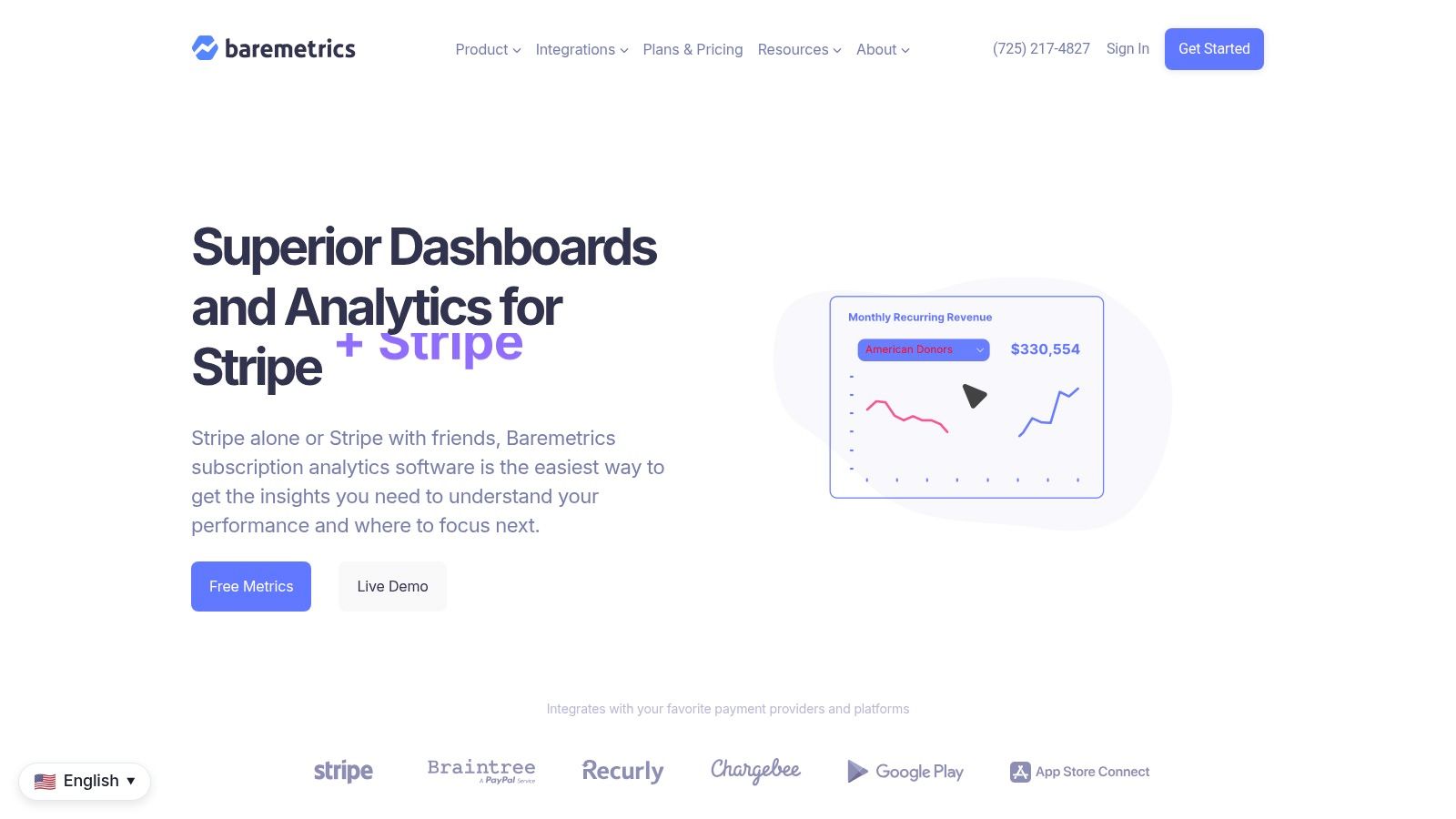
The Baremetrics website displays Launch at $75 per month on its pricing page, while its FAQ says Launch starts at $49 per month. Confirm the applicable checkout price and included products before subscribing.
That discrepancy matters because price transparency is part of the comparison. Don't budget from the lower figure without establishing which offer applies.
Buy for the operational problem
Baremetrics organizes plans by business size using ARR-based tiers. Optional products address payment failures and cancellation feedback, including follow-up features.
- Good fit: Teams that need subscription analysis and have a defined use for recovery or cancellation workflows.
- Poor fit: Makers seeking only a lightweight daily sales number.
- Cost consideration: Separate the analytics subscription from optional products when judging the full purchase.
If failed payments are the problem you want to address, assess the recovery offering on its own terms. If cancellations are the concern, decide how you'll use feedback before adding another collection workflow.
The broader feature set can be useful, but it doesn't automatically make Baremetrics better value than a free or lightweight tracker. Choose it when you can name the recurring-revenue process you intend to improve and explain who will act on the information.
Sales Tracking Tools: Top 10 Comparison
| Product | Core capabilities | Best for | Standout value | Price |
|---|---|---|---|---|
| 🏆 Papa | ★ Daily planning, website limits, evening check-ins, optional sales tracking | 👥 Mac-based solo builders and business owners | ✨ Accountability coach in the Mac notch; Stripe and Dodo sales reactions; privacy-conscious local data | 💰 Free edition; Pro $9.99 one-time ($4.99 introductory offer); covers 2 Macs |
| Stripe Dashboard | ★ Stripe sales, payments, refunds, subscriptions, and financial reports | 👥 Businesses processing payments through Stripe | ✨ Built-in reporting from Stripe transaction data | 💰 Dashboard included with Stripe; advanced Sigma analysis is paid |
| CreatorDash | ★ Revenue, subscribers, MRR, churn alerts, and estimated net income | 👥 Creators earning across multiple platforms | ✨ Unifies data from creator services such as Patreon, Gumroad, and Stripe | 💰 Free for 2 platforms and 30 days of history; Creator $19/month (limited offer $9.99/month) |
| Owelet | ★ Gross sales, fees, net income, and transaction history | 👥 Solo operators selling across platforms | ✨ Shows money retained after fees; supports 10+ platforms | 💰 Free start advertised; check current plan details |
| TrackMRR | ★ MRR, ARR, subscribers, growth, churn, and project views | 👥 Indie developers and multi-product founders | ✨ Combines recurring-revenue sources with multi-currency history | 💰 Free start advertised |
| Plask | ★ Revenue, traffic, costs, and product-level profit and loss | 👥 Indie makers evaluating app or website profitability | ✨ Tracks costs alongside sales to estimate profit | 💰 Free for 1 product; Pro $5/month or $48/year |
| StripeReport | ★ Daily revenue reports, MRR, churn, LTV, and forecasts | 👥 Founders wanting proactive Stripe updates | ✨ Sends summaries by email or Slack | 💰 3-day trial; then $14.99/month or $99/year |
| ProfitWell Metrics | ★ MRR, churn, upgrades, downgrades, and customer metrics | 👥 SaaS businesses focused on subscription performance | ✨ Core subscription analytics with benchmarking and segmentation | 💰 Core Metrics advertised as free; paid options available |
| ChartMogul | ★ MRR, churn, LTV, retention, segmentation, and forecasting | 👥 Subscription businesses needing detailed analytics | ✨ Cleans and standardizes billing data from multiple sources | 💰 Free below $10,000 MRR; paid pricing varies by MRR |
| Baremetrics | ★ Subscription analytics plus optional recovery and cancellation tools | 👥 Recurring-revenue businesses seeking analytics and retention features | ✨ Combines revenue insights with payment-recovery options | 💰 Launch pricing varies by page: $49 or $75/month; confirm current price |
Pick One Tracker and Make Sales Visible Daily
Choose according to your sales channels and the decision you need to make. Stripe Dashboard is the sensible baseline for Stripe-only reporting. CreatorDash and Owelet address fragmented creator income, while TrackMRR focuses on recurring revenue across supported providers and projects.
Plask makes more sense when costs and product profitability drive your decisions. StripeReport suits scheduled delivery, while ProfitWell Metrics, ChartMogul, and Baremetrics deserve consideration when subscription behavior requires deeper investigation.
The important distinction is between visibility, analysis, and action. Seeing a payment arrive is visibility. Understanding why recurring revenue changed is analysis. Investigating a refund, improving onboarding, or following up on a billing problem is action.
Make the evening review useful
Connect the tracker that matches your payment sources, then reconcile its output against the underlying provider records before trusting it. Confirm the reporting period, currency, connection status, and whether the displayed amount represents gross sales, net revenue, or recurring revenue.
- For daily sales: Review successful payments and refunds together.
- For subscriptions: Review MRR separately from cash collected, especially when annual plans are involved.
- For profitability: Include relevant fees and maintained cost inputs rather than treating revenue as profit.
- For accountability: End the review with a practical next action, not a judgment about your worth.
Review today's revenue and, where relevant, MRR each evening. Keep a rolling view nearby so an ordinary quiet day doesn't dictate tomorrow's entire plan.
A missing or delayed sync deserves investigation before a negative conclusion. Likewise, a large payment deserves context before you assume the business has permanently improved.
Keep notifications under your control
Start with scheduled summaries for routine performance and reserve immediate interruptions for operational issues you consider urgent. Use quiet hours, batching, and muted reactions when those settings help you focus.
There isn't a universal notification policy that works for everyone. A randomized trial of smartphone notification disabling found mixed support for assumed productivity benefits, which is a good reason to prefer configurable controls over forced silence.
The best sales tracker earns its place by changing a decision or reducing reporting work. If it does neither, keep your existing dashboard and simplify the review. Make sales visible daily, but spend the rest of your working time doing something useful with that visibility.
Papa combines morning planning, website time limits, and evening check-ins with optional Stripe or Dodo Payments revenue visibility on your Mac. Visit Papa to try the free app, then choose the one-time Pro upgrade if sales reactions and unlimited website limits fit your workflow.
Published via Outrank tool